Simplify Your Wedding Stationery with a Vector Seating Chart Illustration
Wedding planning is a unique blend of high-stress logistics and high-style aesthetics. You are simultaneously managing a guest list that fluctuates weekly and trying to curate a visual identity that will live on in photo albums for decades. In the midst of this chaos, the seating chart often becomes a last-minute hurdle. It is a functional necessity—people need to know where to sit—but it is also a massive visual anchor at the reception entrance. A cluttered, hard-to-read chart can dampen the entrance experience, while a sleek, organized visual can set a sophisticated tone immediately.
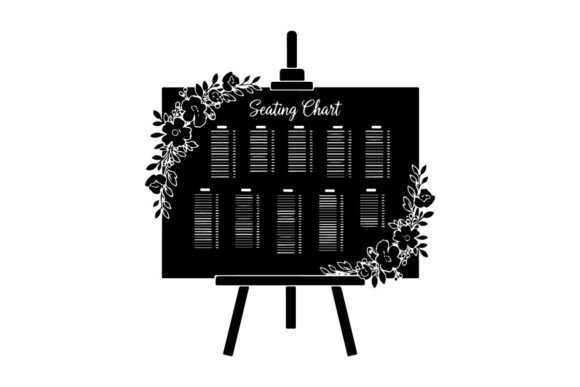
This is where the utility of a high-quality vector illustration comes into play. Specifically, a Wedding Seating Chart Vector Illustration acts as a foundational design asset that bridges the gap between raw data (names and table numbers) and artistic presentation. Unlike standard raster images, which pixelate when you resize them, vector graphics are built on mathematical paths. This means you can scale your seating chart from a small program insert to a massive 6-foot acrylic sign without losing a single ounce of sharpness. It is the ultimate tool for ensuring that every detail of your typography and layout remains crisp, regardless of the final output size.
The Power of Versatile Silhouette Clip Art in Modern Design
When working with wedding assets, the trend has moved heavily toward minimalism and modern elegance. Gone are the days of heavy, ornate borders that compete with the content. The current aesthetic favors clean lines and bold shapes, which is exactly what defines this type of versatile silhouette clip art. By removing unnecessary details and focusing on strong visual presence, these graphics allow the actual information—the names of your guests—to take center stage.
Imagine you are designing the layout for a rustic barn wedding. You might use the silhouette of a leaf or a geometric frame to anchor the table numbers. If you are designing for a modern city loft, you might use sharp, angular lines. Because these vectors are crafted with smooth lines and a minimal structure, they adapt seamlessly to these different themes. They do not fight for attention; they support the layout. This "bold but quiet" approach is essential for readability, ensuring that even elderly relatives with poor eyesight can quickly locate their table without squinting.
Practical Applications: Beyond the Seating Chart
While the primary function is organizing your reception, the true value of a high-quality vector asset is its reusability. In the world of brand identity and event design, consistency is king. You want the visual language used on the seating chart to echo throughout the entire event. Here is how a single, well-designed vector illustration can be repurposed across a multitude of touchpoints:
- Digital Invitations & Save-the-Dates: Use the silhouette elements as corner accents or background watermarks to introduce the visual theme early.
- Social Media Graphics: When sharing your wedding hashtag or event details on Instagram, incorporating these clean shapes ensures your digital presence matches the physical event.
- Menu Cards & Programs: Scale the vector down to create bullet points for your dinner menu or section dividers in your ceremony program.
- Thank You Cards: After the event, use the same graphic elements to create a cohesive "Thank You" design that triggers a visual memory of the wedding day.
- Merchandise & Keepsakes: If you are creating custom favors like tote bags or matchboxes, the clean edges of a vector ensure the design prints perfectly on fabric or textured surfaces.
For designers and small business owners in the wedding industry, this versatility is a massive time-saver. Instead of hunting for new assets for every client, you can rely on a robust library of silhouette clip art that can be recolored, resized, and rearranged to fit any bride or groom’s specific palette.
Technical Excellence: Why Vector Formats Matter
If you have ever tried to print a logo you found on a website, only to have it come out blurry and pixelated, you understand the frustration of working with low-quality files. A Wedding Seating Chart Vector Illustration eliminates this problem entirely. The inclusion of file formats like SVG (Scalable Vector Graphics), EPS, or AI ensures that the artwork is infinitely scalable.
Furthermore, the mention of "smooth edges for precise cutting" is critical for those using cutting machines like Cricut or Silhouette. If you plan to cut vinyl decals for signage or laser-cut wooden table numbers, raster images (like JPEGs) contain jagged edges that confuse the cutting software. Vectors provide a clean path for the blade or laser to follow, resulting in professional, flawless cuts every time.
Additionally, look for assets that include high-resolution PNGs (300 DPI) with transparent backgrounds. While vectors are best for editing, PNGs are the universal standard for quick digital placement. Having a transparent background means you can drop the illustration onto any texture—linen, marble, wood, or solid color—without a white box surrounding it. This flexibility is non-negotiable for modern web design and digital layouts.
Matching Typography and Layout for Maximum Impact
A seating chart is essentially a typographic puzzle. You have headers, sub-headers, and lists of names. The vector illustration serves as the frame for this puzzle. When integrating these assets into your design, consider the hierarchy of information.
For example, if you are using a bold, modern sans-serif font for the couple's names, pair it with a lighter weight of the same font family for the guest names. The vector art should complement this hierarchy. If the illustration is a heavy, bold shape, you might need to increase the font weight of the guest names to ensure they aren't visually overpowered.
Color customization is another key factor. A good vector asset allows you to change colors with a single click. This means you can match the illustration perfectly to the wedding’s specific hex codes—whether it’s "dusty rose" or "sage green." This level of detail transforms a generic template into a bespoke piece of art. It demonstrates a level of care and professional presentation that guests genuinely notice.
Streamlining Workflow for Professionals and Hobbyists
Whether you are a professional stationer handling dozens of clients or a DIY bride organizing your own event, efficiency matters. The beauty of "easy to use" clip art lies in its compatibility. These files are designed to work smoothly with popular design software like Adobe Illustrator, Photoshop, Canva, and Procreate.
For the hobbyist, this means you don't need a degree in graphic design to make something beautiful. You can drag and drop elements, change colors using simple fill tools, and arrange layouts intuitively. For the professional, the "balanced and minimal structure" means the files are lightweight and won't bog down your computer’s processing power, even when working on complex, multi-layered files.
Ultimately, using a Wedding Seating Chart Vector Illustration is about removing friction from the creative process. It provides a polished starting point that guarantees a high-quality result. By utilizing clean, bold silhouette art, you ensure that the functional aspect of the seating chart—the navigation of the reception—is handled with the same elegance as the rest of the celebration. It is a small detail that contributes significantly to the overall guest experience, proving that great design is not just about how things look, but how well they work.